Pins, Reels, and Shorts,
forged in one sitting.
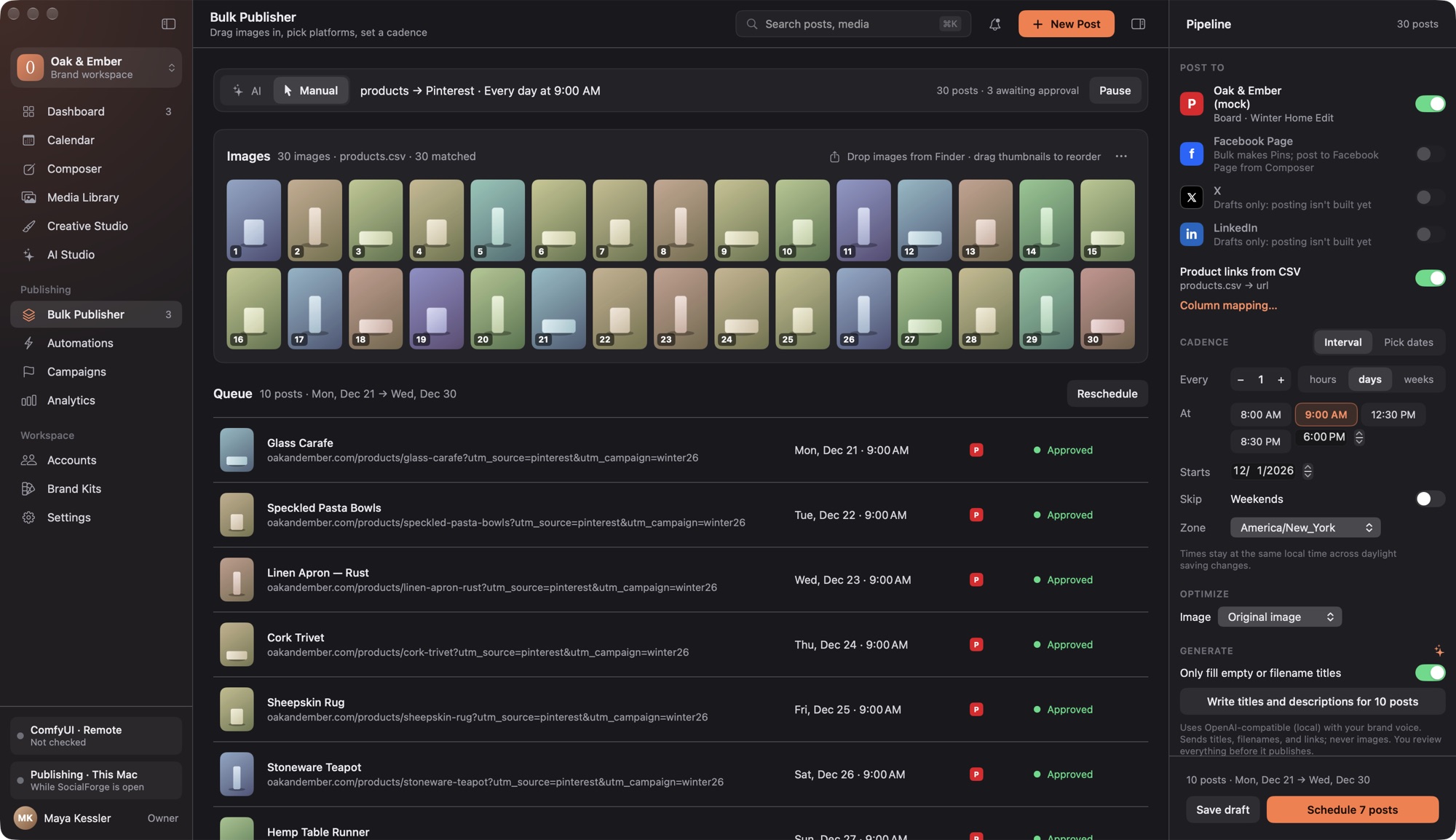
Drop in product photos, clips, music, and a CSV of links. SocialForge dresses every image and video in your brand template with real, editable type, makes backgrounds, clips, and songs with your own ComfyUI, plans the calendar, and posts from your Mac. You approve everything first.
Signed with Developer ID and notarized by Apple. New versions arrive from GitHub releases, and SocialForge asks before installing.
Folder in. Calendar out.
Never fill in sixty post forms again.
Drop it all in
Photos, clips, music, and a CSV. Files are copied in; your originals are never touched. Ambiguous matches get flagged, never guessed.
Brand it
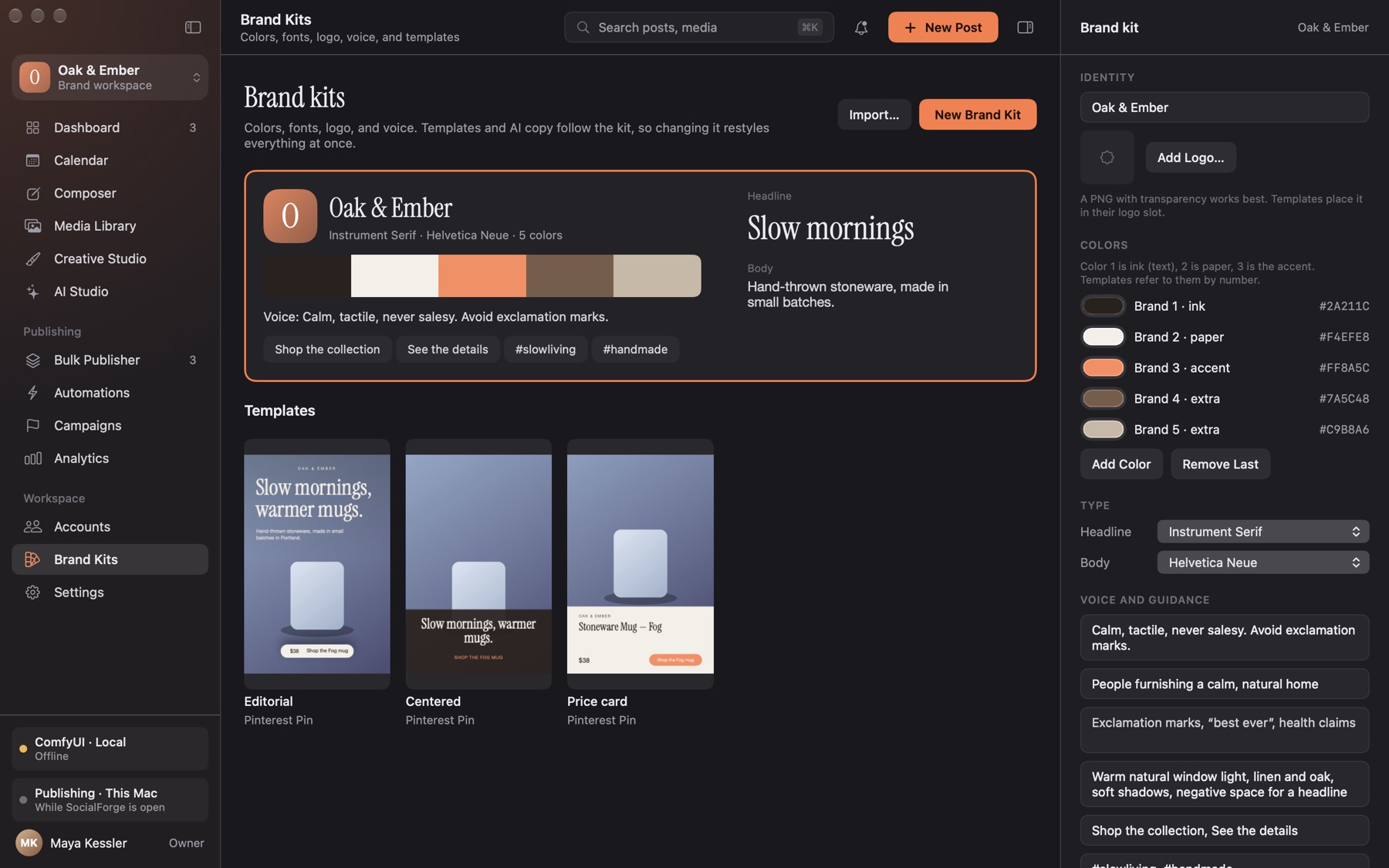
Pick a template. Your colors, fonts, and logo snap in; headlines and prices stay real text, on a still or over a video.
Plan it
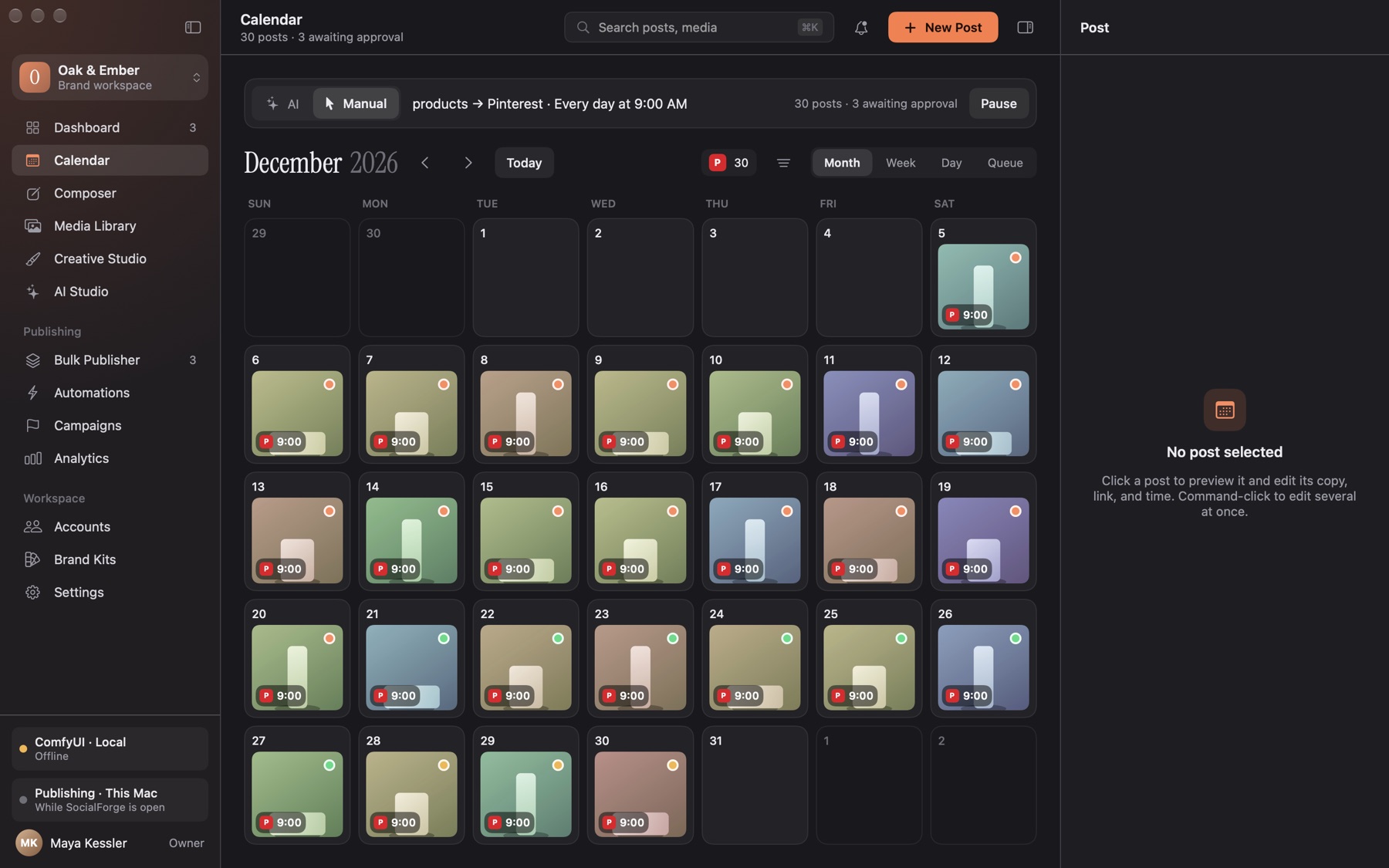
One a day at 9, weekdays only, every four hours, or hand-picked dates. Daylight saving can't move your 9 AM.
Approve it
Nothing publishes until you say so. Then your Mac posts, with retries and a receipt for every post. For TikTok and YouTube you get a ready-to-upload video.
Take the tour
Warm dark mode, crisp light mode, and a sidebar that knows where everything lives.
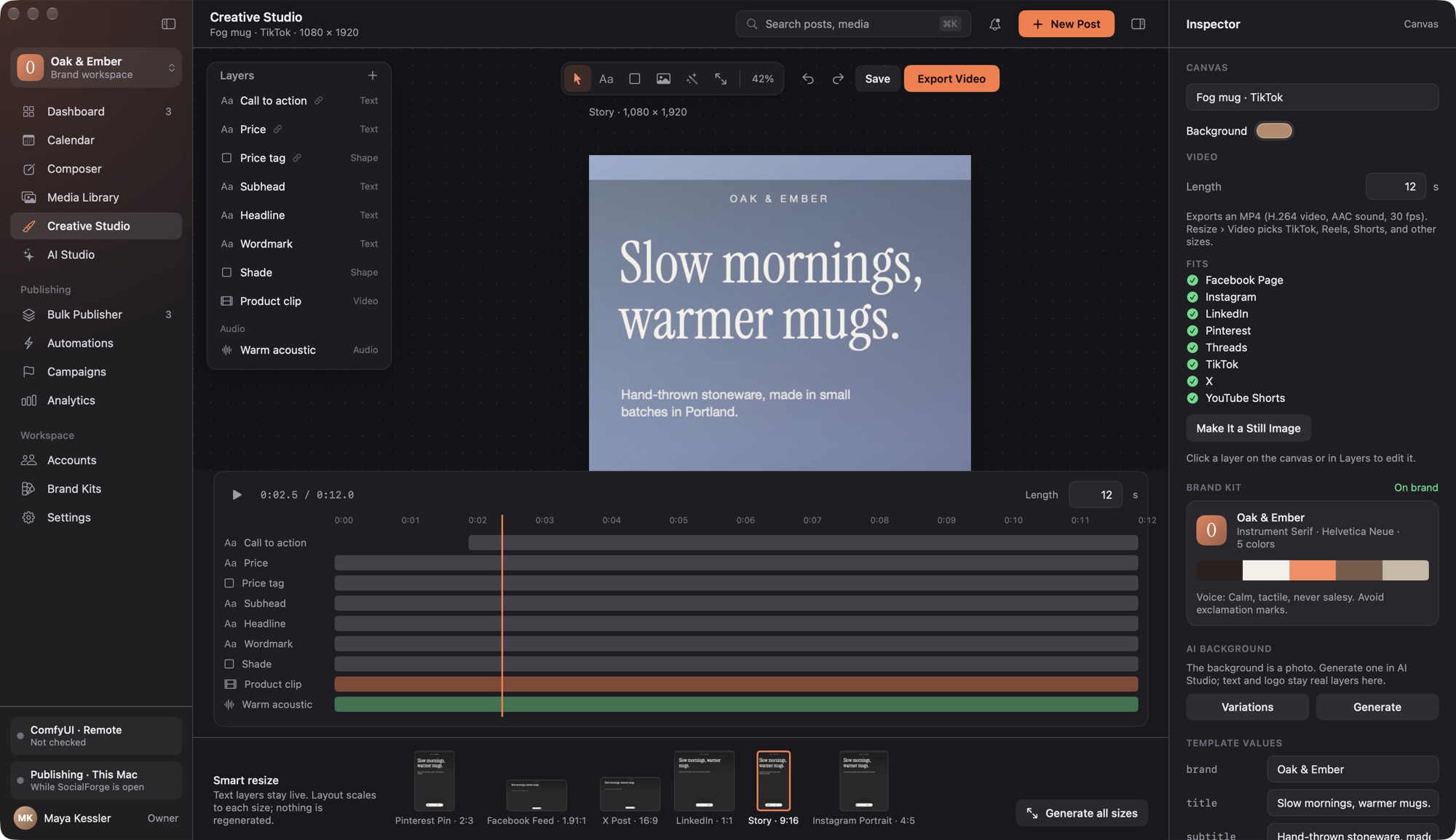
Creative Studio, video edition: a looping product clip, a music track that fades out, a headline that appears at two seconds, and a check against every platform's video rules. Export Video writes an MP4 with real fonts.
Everything in the box
Built for people who post a lot and want it to look like them.
Media Library
Photos (HEIC and transparency too), video clips, and music. Collections, duplicate detection by content hash, and a player for every clip and track.
Brand templates
Editorial, Centered, Price card, or your own. Apply one to a hundred photos and get a hundred branded Pins.
Video studio
Drop clips and music on the canvas, time each layer, and export an MP4 (H.264 and AAC) sized for TikTok, Reels, Shorts, Pinterest, and more.
AI Studio
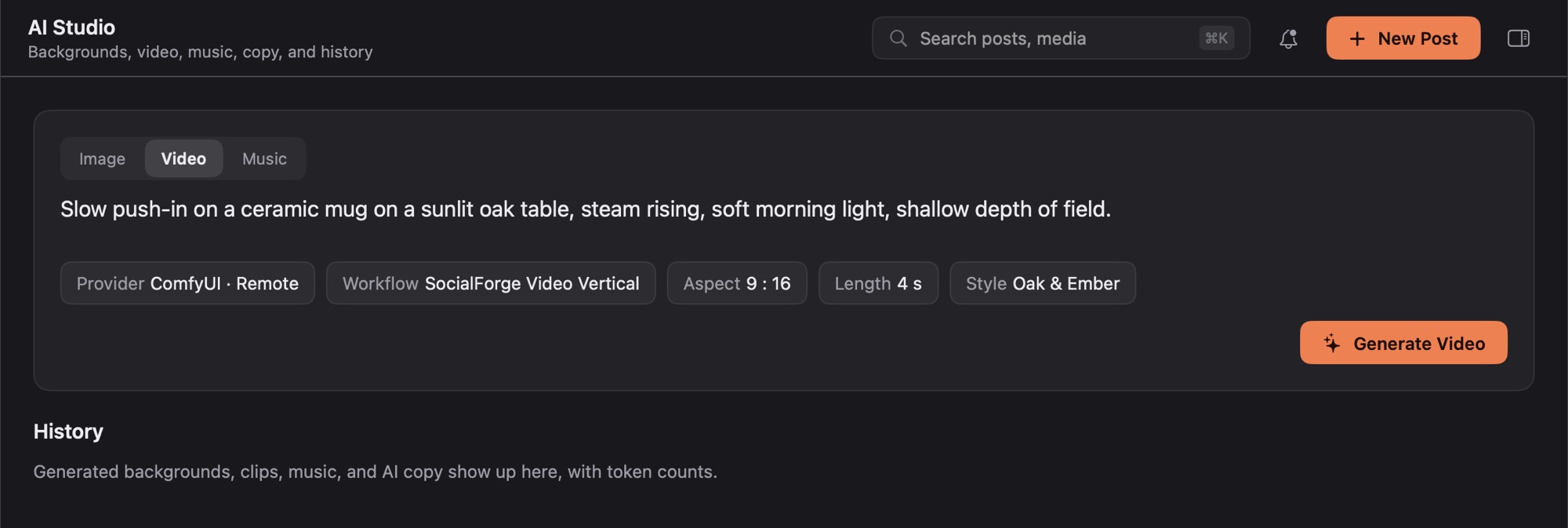
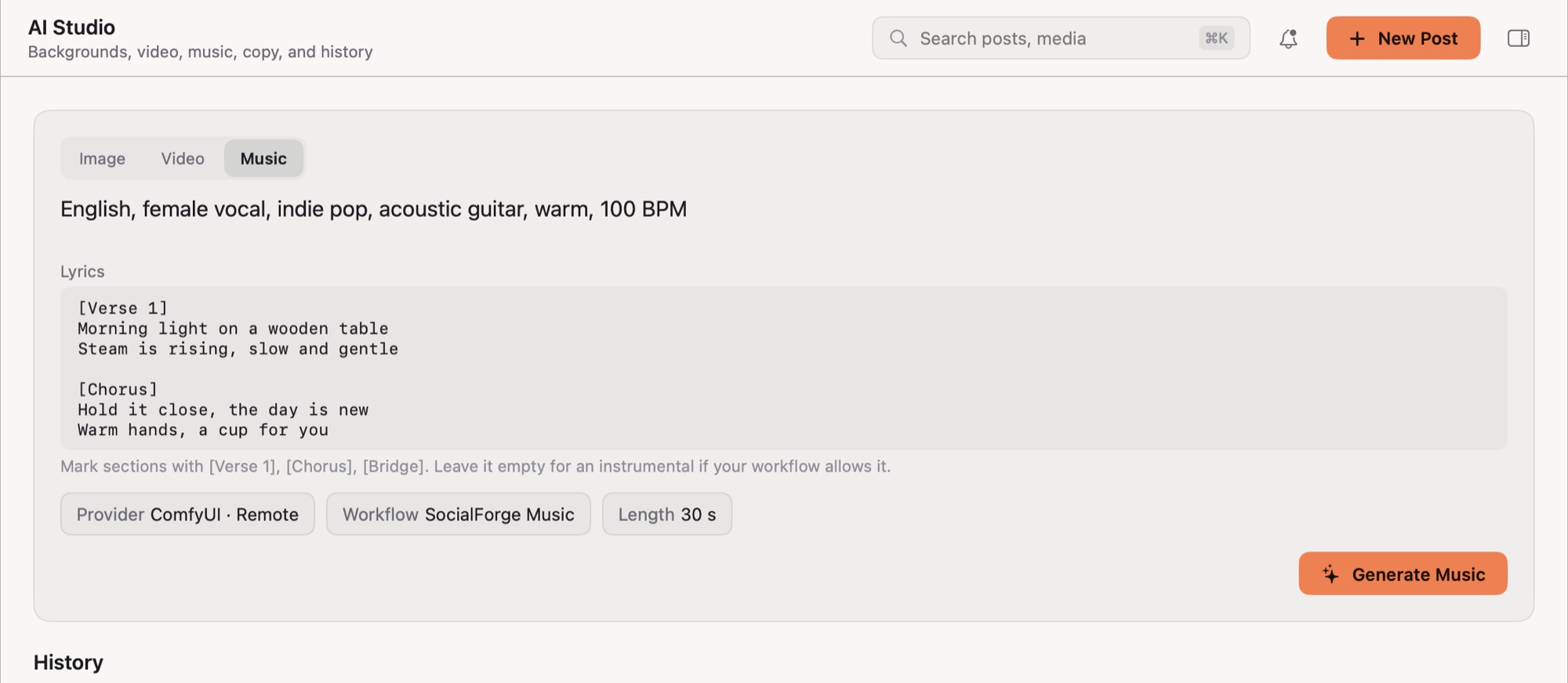
Images, clips, and songs from your own ComfyUI, plus titles and descriptions from OpenAI, Anthropic, Gemini, or a local model. Type stays real text unless you ask the model for it.
Starter workflows
Five ComfyUI workflows ship in the app: background image, image with words in it, vertical and square video, and music. Download them for your own ComfyUI.
Publishing
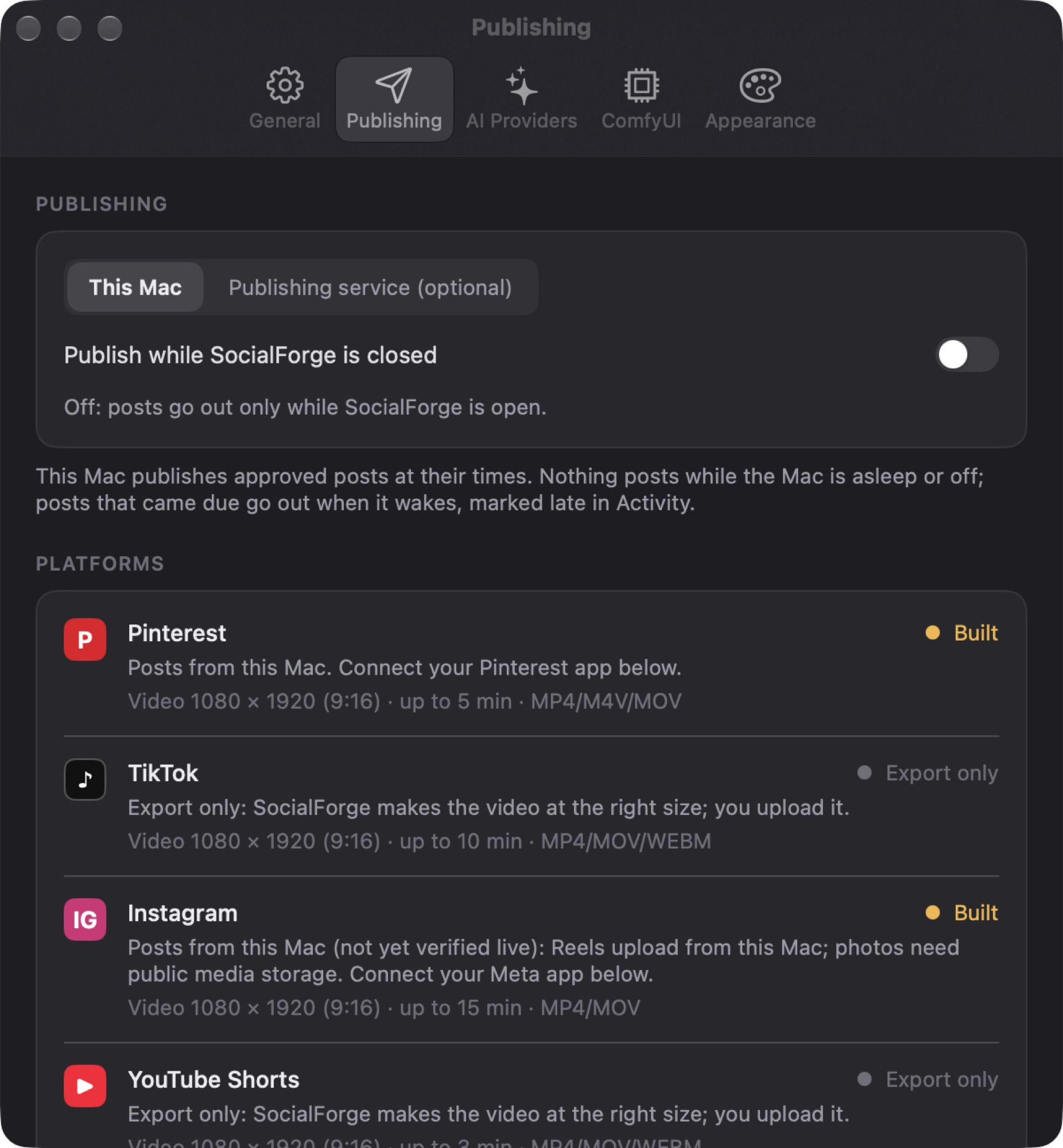
Your Mac posts to Pinterest, Facebook Pages, Instagram, and Threads with your own developer apps, with retries and no double posts after a timeout.
Composer
Write once and get a version per platform, with its own preview and limits, including video rules.
On-device magic
Remove backgrounds, smart-crop around the subject, upscale, and tone to your brand color. Your photos never leave the Mac.
Automations
Watch a folder, resize, brand, write, and queue. Every run stops for your approval.
Where it posts
Posting goes through developer apps you create on each platform, so your keys stay in your Keychain.
Posts from your Mac
- Pinterest: image Pins, scheduled in bulk
- Facebook Pages: text, photos, and Reels
- Instagram: Reels upload straight from your Mac; photos need a public storage bucket (Cloudflare R2 or any S3-compatible one)
- Threads: text posts; photos and video use the same storage bucket
Export or drafts
- TikTok and YouTube Shorts: SocialForge makes the video at the right size and length; you upload it. Their APIs keep posts private until an app passes their audit.
- X and LinkedIn: saved as drafts for now
Straight talk
Works today
- The whole bulk Pinterest flow, end to end, with a built-in mock account to try it safely
- Video designs with clips, music, and timed layers, exported as MP4 and checked by automated tests
- AI Studio's image, image-with-text, video, and music starter workflows, run end to end on a real ComfyUI server
- Brand templates, smart resize, analytics from your real data, campaigns with UTM links
- Automatic updates from these GitHub releases
Still on the workbench
- Live posting to Pinterest, Facebook, Instagram, and Threads is built to their docs and tested against stand-ins, but hasn't made its first real post yet
- TikTok and YouTube are export-only, and X and LinkedIn are drafts
- A Mac can't post while it's asleep: due posts go out when it wakes
- The cloud AI connections are built to their docs; bring your own key and test it
Get SocialForge
- Download the latest zip from Releases.
- Unzip it and drag SocialForge to Applications.
- Open it. Future versions arrive on their own.
For AI: point SocialForge at your ComfyUI (Settings › ComfyUI) and add the starter workflows from AI Studio › Workflow. For posting: set up Facebook, Instagram, and Threads.
Requires macOS 26 or later. One download runs on Apple silicon and Intel.